
CryptoLeo · Canada
CryptoLeo login
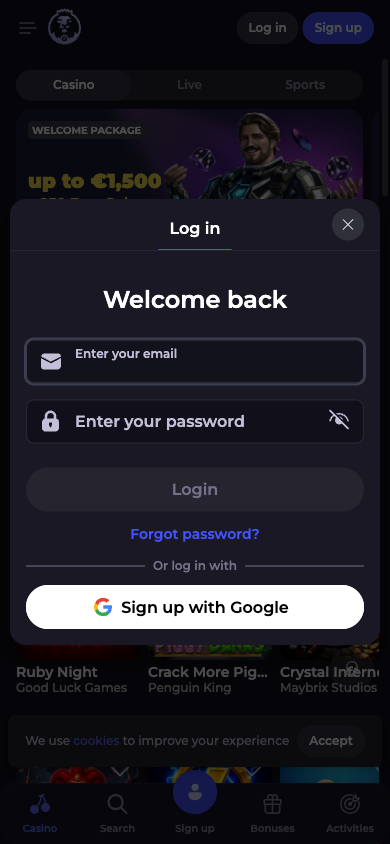
Use Log in on the casino website and enter the email address and password for your existing account. You do not need to register again or make a deposit to sign in.
After opening the casino, choose Log in. This link opens the general casino route; the steps below explain where to go next.
- Select Log in in the website header.
- Enter your account email address and password.
- Check the details, then submit the login form.
Forgotten your password?
Select Forgot your password? from the login form. Enter the email address linked to your account, then choose Reset password. The recovery form requests a reset link by email.
Check the spelling of your email address and your spam folder if the message does not arrive. Use the most recent reset email and keep the link private. If you no longer control the registered email address, use Live Chat on the casino website for account recovery.
When sign-in does not work
| Problem | Next step |
|---|---|
| Password rejected | Check keyboard case and saved-password entries; use the reset form rather than creating a duplicate account. |
| No reset email | Confirm you entered the registered address and check spam. Ask Live Chat for help if it still does not arrive. |
| Account restricted or verification requested | Follow the instructions provided by account support. A new account is not a substitute for resolving a restriction. |
| Location notice | Stop and check eligibility with support. Do not try to bypass location restrictions. |
| Page fails to load | Refresh the page or try an up-to-date browser. Do not share your password with anyone offering to repair access. |
CryptoLeo permits one account and applies household and device restrictions. Use your existing account for casino and sports access.
Once you are signed in
For withdrawal questions, review the verification and payment steps before submitting a request. For mobile access, see the browser and app guidance on the homepage.